Introduction
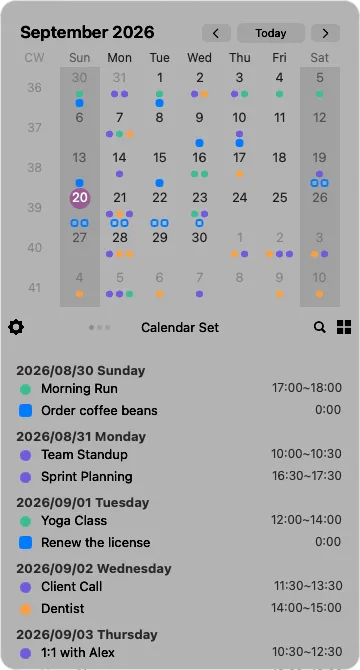
Calinsight brings your calendars and reminders together in one place, right from the menu bar.
What you can do
Section titled “What you can do”- See events and reminders together — everything the macOS Calendar and Reminders apps handle, including iCloud, Google and Exchange accounts. The data is the same, so anything you add on your iPhone or iPad shows up here too
- Create and edit in place — right-click a date to add an event or reminder without switching apps
- Look back — the dashboards count your events and completed reminders by day, week, month or year, broken down by calendar
Calinsight lives in the menu bar
Section titled “Calinsight lives in the menu bar”There is no Dock icon. Click the menu bar icon to open the window, click elsewhere to close it. The icon itself shows today’s date, and its underline gets thicker when you have events or reminders today.
Your data stays on this Mac
Section titled “Your data stays on this Mac”Calinsight reads and writes your calendars and reminders locally. It never sends the contents of your schedule anywhere.