Completing reminders
Click the checkbox to the left of a reminder in the list to mark it complete. Click it again to make it active once more.
Choosing which lists to show
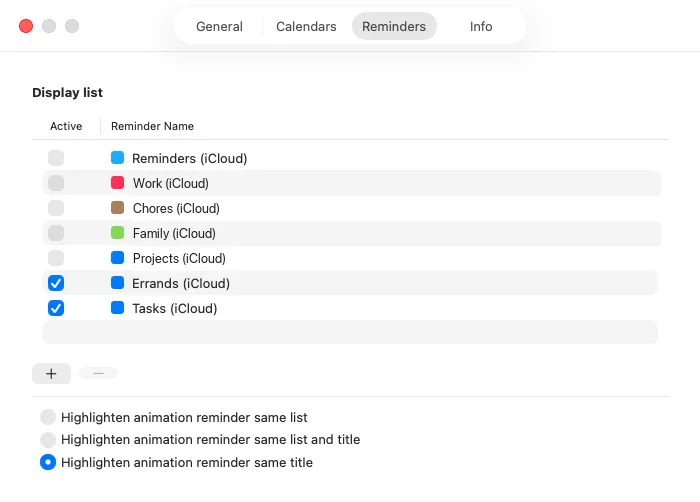
Section titled “Choosing which lists to show”In Settings (⌘,), open the Reminders tab and use Active to pick the lists that appear.
Showing completed reminders
Section titled “Showing completed reminders”Whether completed reminders stay in the list is controlled by the filter button at the right end of the bar, not by a setting. They are shown to begin with. See Seeing your schedule for how to change it.
Repeating reminders
Section titled “Repeating reminders”When you complete a repeating reminder, macOS creates the next occurrence. The one you completed stays on its original due date as a single reminder with the repeat rule removed, and the next occurrence appears as a separate, uncompleted reminder. There is nothing to advance by hand in Calinsight.