Editing and deleting
Right-click an event or reminder (control-click) in the list to open it for editing.
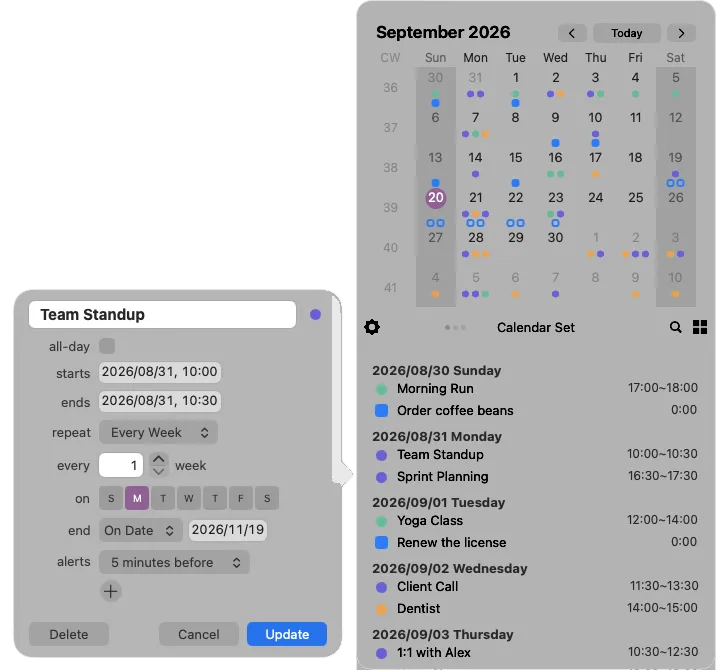
- Update — saves your changes
- Delete — removes the event or reminder
- Cancel — closes without saving (Esc does the same)
Changing a repeating event
Section titled “Changing a repeating event”When you save or delete one occurrence of a repeating event, Calinsight asks how far the change should reach:
| Choice | Effect |
|---|---|
| This event only | Changes or deletes just the occurrence you opened |
| All future events | Changes or deletes that occurrence and every one after it |
If you change the repeat rule itself — the frequency or the days — Calinsight applies it to all future events without asking.
When saving fails
Section titled “When saving fails”If a change cannot be saved, the form stays open and shows the reason in a banner. What you typed is still there, so you can correct it and try again.