
The short answer: if you only want to check the date or today’s events, what macOS already has may be enough. If you want to add and change events from the menu bar, check that the app can create and edit, not just show. If you want to look back at where your time went, check that it adds up the hours in your events.
If you want more than a look, with reminders next to your events, editing in place and a way to look back at your hours, Calinsight, a menu bar calendar for Mac, is a candidate. The rest of this page goes through what to check, and says plainly where Calinsight fits and where it does not.
Start with what macOS gives you
macOS shows the date and time in the menu bar. Click it and Notification Center opens, where you can add a Calendar widget with the month or your next events. It is free and already there. If a glance is all you need, you may not need another app.
People look for a menu bar calendar when they want more than that in one click: a month they can page through, a list that runs past today, reminders next to events, or a way to add an event without switching apps.
What you need, and what to check
Features overlap from app to app, so go by what you need rather than by category or price.
| If you want to… | Check that the app… |
|---|---|
| Check dates and week numbers | has a month grid you can page through, shows week numbers, and lets you set the first day of the week |
| See what is coming up | lists events under the grid, and how far ahead the list goes: today only, or on past today |
| Keep reminders in view | shows reminders next to events, lets you tick them off, and shows which are overdue |
| Add or change events without opening Calendar | can create and edit in place, including repeats, alerts and locations, rather than handing you to another app |
| Look back at how your time was spent | adds up the hours in your events, by calendar, and for which periods: day, week, month, year |
| Work across time zones | shows world clocks and converts times between zones |
| Get into video calls quickly | shows your next meeting in the menu bar and has a join button |
| See a day or a week laid out | opens a full-size window with day and week views; a menu bar window is small by nature |
Whichever you pick, also check:
- Accounts: does it read the accounts already set up in macOS (iCloud, Google, Exchange), or do you sign in again inside the app?
- Where your calendar is processed: on your Mac, or on the developer’s servers?
- How you pay: free, a one-time purchase or a subscription. The same feature can come any of the three ways, so compare the totals over the time you expect to use it.
- Trial or refund: is there a free version or a trial? For Mac App Store purchases, refunds are handled by Apple.
- macOS version: what is the oldest version it runs on?
- Keyboard: can you open it and move around without the mouse?
Where Calinsight fits
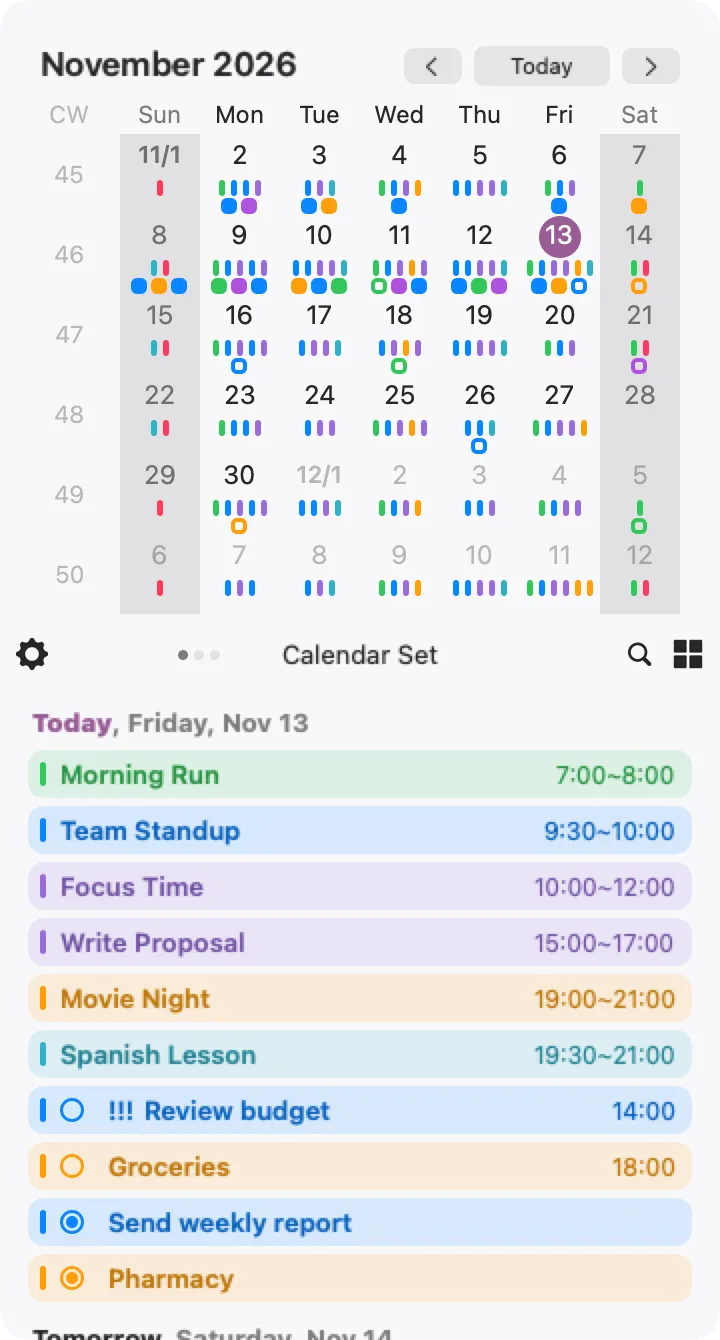
Calinsight suits you if:
- you want events and reminders one click away, in one list that runs on past today
- you want to create and edit them in place, including repeats, alerts and locations
- you want to look back at the hours in each calendar by day, week, month and year
- you prefer to pay once, and want the adding up done entirely on your Mac, with no extra upload to an analysis service
It is not the one for you if:
- a date grid is all you need. macOS’s widget or a simple date-grid app does that well.
- you need world clocks or time zone conversion in the menu bar
- you want a full-size calendar window with day and week views
- you want a join button for video calls in the menu bar
Against the checklist above: Calinsight reads the accounts set up in macOS, with no sign-in of its own. It reads and adds up your events on your Mac; syncing with iCloud or Google is done by macOS, and the only thing the app sends out is the location of an event, to Apple Maps, for suggestions and the map. It is a one-time purchase with no trial. It needs macOS 14 or later, and it can be opened with a shortcut you choose and driven from the keyboard.
If you want events, reminders and your hours in one place, see Calinsight’s screens and what it does.